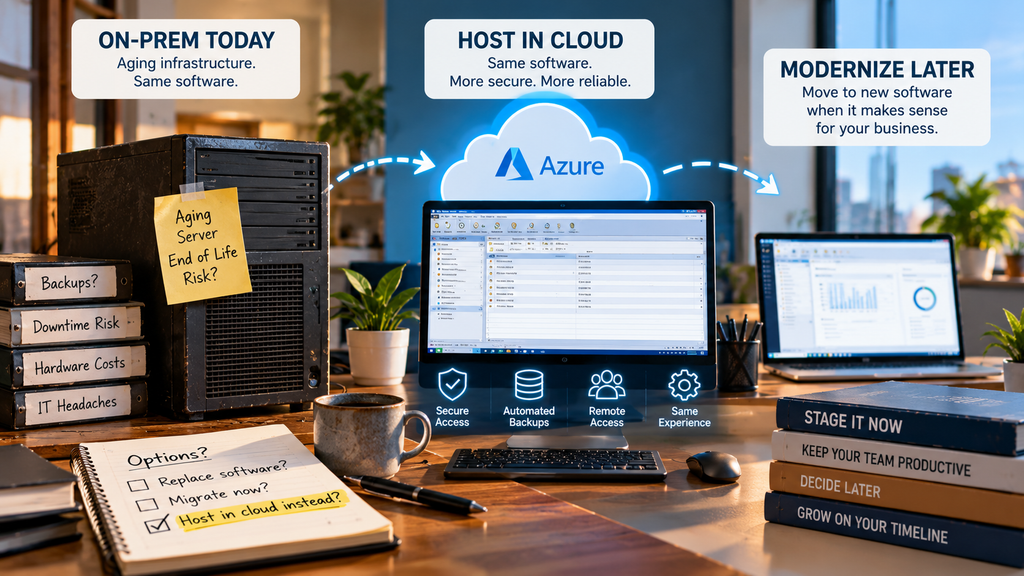
The real alternative to replacing legacy software on a forced timeline is hosting it as is, in a secured cloud environment, while you decide on your own schedule whether a full rebuild ever makes sense. Your team keeps using the software they already know. What changes is where it runs and how reliably it’s backed up, not what it looks like on screen.
Key takeaways
- Hosting your existing application is an alternative to replacing legacy software immediately, not a permanent substitute for ever modernizing.
- Most “we need to migrate” pressure actually comes from failing infrastructure, not from the software itself being wrong for the job.
- Staging the decision costs you nothing you weren’t already going to spend on infrastructure anyway.
- There are real situations where replacing the software is genuinely the better call, and this post names them directly.
- You can move to true SaaS later, on your own timeline, once the business case actually supports it.
Why Replacing Legacy Software Feels Inevitable (and Often Isn’t)
The pressure usually starts the same way. A server is aging. A vendor mentions end-of-life support. Someone in leadership reads an article about digital transformation. All of it gets bundled into one conclusion: it’s time to replace the software.
But look closer at what’s actually failing, and it’s rarely the application itself. It’s the box it’s running on, the backup job nobody’s tested, or the fact that nobody can access it from home. Those are infrastructure problems. Replacing the software doesn’t fix any of them faster than hosting the software you already have does, and it comes with a cost the infrastructure fix doesn’t: retraining, data conversion risk, and months of parallel-running two systems.
An Alternative to Replacing Legacy Software Immediately: Stage It Instead
Staging means hosting your current application in a secured Azure environment now, and treating a full software migration as a separate decision you make later, if and when it actually makes sense. It’s not a permanent stance against modernizing. It’s a refusal to let a failing server force a software decision on a timeline that has nothing to do with whether the software itself needs to change.
Forcing the migration now
A new system, new training, new data conversion risk, and months of running two systems in parallel, all triggered by a server that was going to need fixing regardless.
Staging it instead
The infrastructure problem gets fixed now, on its own. The software decision gets made later, deliberately, when there’s an actual reason to make it.
Signs You Should Stage, Not Migrate
Signs a Full Migration Is Actually the Right Call
Staging isn’t the answer every time, and it’s worth saying so plainly. Consider an actual software migration, not just hosting, if any of these are true:
If that’s your situation, hosting the current application is still a reasonable bridge while you plan the migration properly, rather than doing it under pressure. But it’s a bridge to a destination you already know you’re headed toward, not an alternative to reaching it.
How CloudTop SaaS Fits Into This
We host the Windows business software you already run, on Microsoft Azure with Parallels RAS, without touching the application itself. If staging makes sense for your situation, that’s the environment we build. If a full migration is the right call down the road, we say so and help when that day comes, rather than selling you a rebuild you don’t need yet.
FAQ
Not sure which situation you’re in?
A 15-minute call is enough to get an honest answer, including if the honest answer is that hosting isn’t what you need yet.