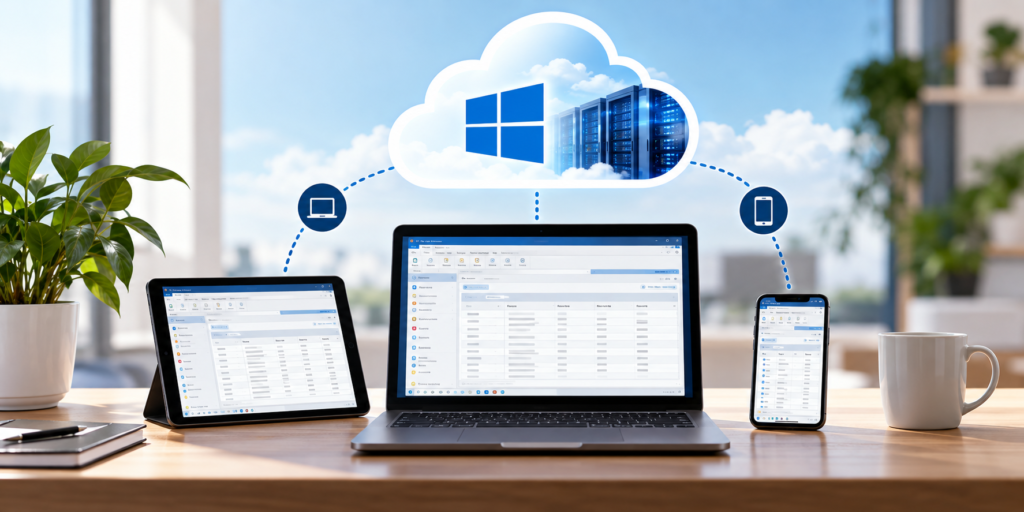
Cloud hosting means running the software your business already uses on servers in a data center, so your team can reach it from anywhere, without buying or managing your own server. That one idea raises a lot of questions, so this cloud hosting FAQ answers the ones people actually ask: what it is, what it costs, whether it’s secure, how you move, and what it’s like to use day to day. The quick answers are up top for skimming, with fuller answers grouped by topic below. Where a question deserves a deeper look, there’s a link to a full guide.
Quick answers at a glance
| Question | Short answer |
|---|---|
| Do I have to replace my software? | No. Your existing Windows software is hosted as-is. |
| Is it cheaper than a server? | Usually, once you count the server’s hidden costs. |
| Is it secure? | Yes, with MFA, encryption, and tested backups standard. |
| Who owns my data? | You do, always, with no lock-in. |
| How long does it take? | Under 48 hours for a typical single app. |
| Will I lose data or have downtime? | No. The old server stays live until you cut over. |
| Does it work on Mac, tablet, or phone? | Yes, from a browser or client on any device. |
| Do I need internet to use it? | Yes. A normal connection is enough. |
What this cloud hosting FAQ covers
The questions below are grouped into the things people ask most: the basics, cost, security and data, moving and setup, daily use, fit and limits, and a short section for software vendors. Each answer is short on purpose. When a topic needs more, there’s a link to the full guide.
The basics
What is cloud hosting?
Cloud hosting runs your software on managed servers in a data center instead of on a machine in your office, so your team reaches it over the internet from any device. You keep the software you use; the provider runs the hardware, backups, and security.
Is cloud hosting the same as SaaS or cloud storage?
No. SaaS is software built to run in a browser and sold by subscription. Cloud storage, like Dropbox, holds your files. Cloud hosting runs your existing software in the cloud.
Do I have to replace my software to use the cloud?
No. Your existing Windows software is hosted as-is, so you keep the tool your team knows and the data inside it. There’s no rewrite and no new product to learn.
Cost
How much does cloud hosting cost?
It’s usually a predictable per-user cost, quoted per environment, that already includes the hosting, backups, security, and support. The exact number depends on your setup, so a provider quotes it after a quick look at your software and users rather than off a rate card.
Is cloud hosting cheaper than running my own server?
Usually, once you count the full cost of a server: the hardware, backups, security, IT labor, downtime, and a refresh every few years. Hosting bundles most of that into one bill.
Is the cost predictable?
Yes. A per-user price per environment scales with your team instead of surprising you, with no platform fees disguised as growth pricing and no lock-in.
Security and data
Is cloud hosting secure?
For most small businesses, hosted is safer than a single office server. Multi-factor sign-in, encryption in transit and at rest, and tested daily backups come standard. Security is a shared responsibility, but you’re not handling it all alone anymore.
Who owns my data?
You do, always. A fair arrangement gives you export tools and exit assistance in writing, so you can leave with your data. There’s no lock-in by design.
Are backups included?
Yes. A hosted setup includes automated daily backups with tested restores, so recovery is realistic rather than hopeful. That’s one of the biggest reasons businesses move off their own hardware.
Moving and setup
How long does it take to move to the cloud?
For a typical single-app, single-database setup, under 48 hours from the discovery call to a live environment. Complex setups with multiple databases, custom integrations, or vendor-licensing steps take longer, and a good provider tells you upfront.
Will I have downtime or lose data during the move?
No. Your old server stays live during the move, your data’s integrity is verified, and you test on real data before cutover. You retire the old server on your own schedule, so nothing is lost.
Do I need to install anything?
Usually not. You reach the software from a browser or a lightweight client, so a new computer just needs a login. There’s nothing heavy to install on each device.
Can I keep my software licenses?
In most cases, yes. You bring your own license (BYOL) and keep the software you already paid for. Some vendors require a hosting addendum, which we coordinate for you.
Using it day to day
Does it work on a Mac, tablet, or phone?
Yes. The software runs in the cloud and only the screen streams to your device, so a Mac, tablet, or phone can all run a Windows application from a browser or client.
Do printers, scanners, and signature pads still work?
Yes. Local printing, scanning, and signature pads are all standard, at the office, at home, or in the field. We confirm your exact devices before go-live.
Do I need the internet to use it?
Yes. Because the software runs in the cloud, you need an internet connection to reach it. A normal home, office, or mobile connection is enough; you don’t need anything special. This is the honest trade-off for anywhere-access.
Can my whole team use it at once?
Yes. Everyone signs in to the same hosted app and the same live data, so a change made in the field shows up at the office right away. There’s no syncing and no version confusion.
Fit and limits
What kind of software can be hosted?
Most Windows software that serves more than one user, including line-of-business apps, industry-specific programs, and older software. Tools that already run fully in a browser don’t need hosting.
When is cloud hosting not the right answer?
When the software itself is the problem rather than the setup, if it’s missing a capability you need or the vendor abandoned it, hosting won’t fix that. Software tied to on-site machinery it controls in real time, and Mac-only apps, are also poor fits for Windows hosting. We’ll tell you honestly if yours is one of these.
For software vendors
Can I offer cloud hosting to my customers?
Yes. We host your Windows product under your brand, coordinate licensing, and provision users, so you can offer a cloud edition without building the infrastructure yourself. Your customers and the relationship stay with you.
What’s white-label hosting?
White-label means the hosted environment reads as your brand, not the provider’s. Your customers see your name at sign-in, while we run the infrastructure in the background.
Still have questions?
If your question isn’t here, ask us directly. Tell us what you run, and we’ll give you straight answers plus what hosting it would take and cost, in writing, the same day. Book a 15-minute consult to see how your software qualifies. Software vendor with questions about a hosted edition? Ask us how to become a hosting partner. For the bigger picture, start with our guide to cloud hosting for small business.
CloudTop SaaS, a CloudTop Office company, cloud-hosts the Windows business software you already run on Microsoft Azure with Parallels RAS. US engineers, automated backups, no rebuild required. From hello to hosted in under 48 hours. For named-app hosting such as QuickBooks, Sage, Act!, and QuoteWerks, see our parent brand, CloudTop Office.