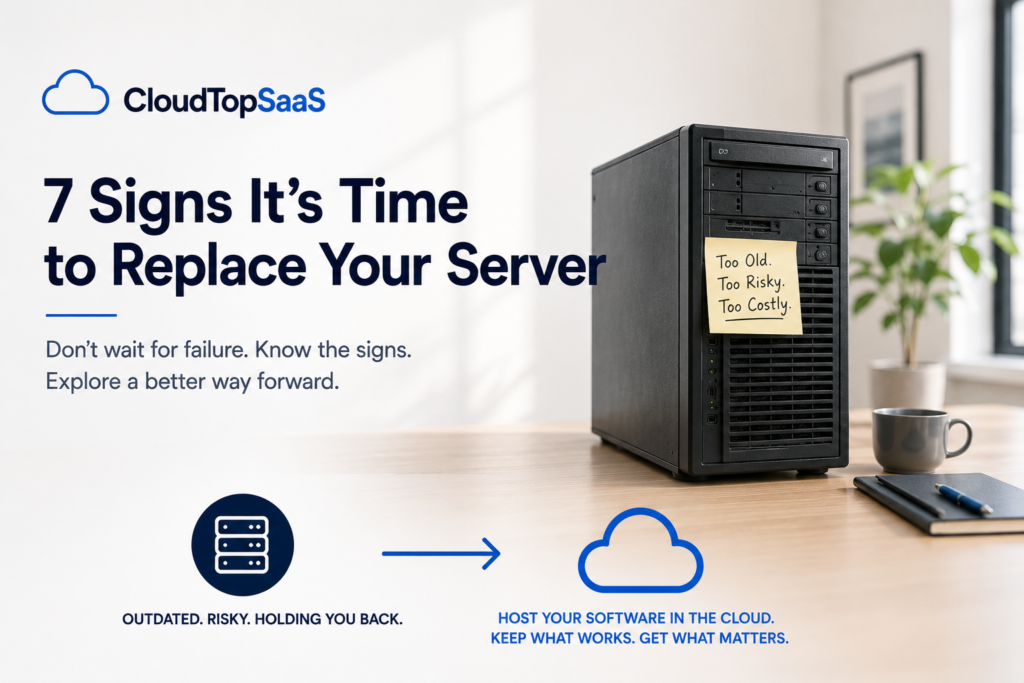
The clearest signs it’s time to replace your server are age, failing backups, constant remote-access headaches, and a repair bill that makes you wince. If two or three of those sound familiar, the server in your closet is closer to the end than you think. But here is the part most articles leave out: replacing it does not have to mean buying another server. This post walks through the seven signs, then the option a lot of small businesses reach for instead of new hardware.
The short version
- Most business servers are due for replacement at three to five years old.
- Failing backups, frequent crashes, and remote-access pain are the loudest warning signs.
- A single person being the only one who can keep it running is a real risk.
- A big repair or refresh quote is the moment to weigh your options.
- You can host your software in the cloud instead of buying another server.
Sign 1: It’s out of warranty or past five years old
Most business servers are built to run reliably for three to five years. Past that, you are on borrowed time: parts get harder to find, the warranty is gone, and a failure means paying full price under pressure. Age alone is not an emergency, but an out-of-warranty server holding your whole business is a risk worth acting on before it forces your hand.
Sign 2: Your backups are manual, old, or untested
If your backup is a script someone set up years ago, a drive nobody swaps, or a process you have never actually restored from, you do not really have a backup. You have a hope. The day the server fails is the wrong day to learn the backup was broken. Reliable, tested backups are one of the biggest reasons businesses move off their own hardware.
Sign 3: Remote access is a constant headache
If your team fights a clunky VPN, drives back to the office to get to the software, or simply cannot work from home when they need to, the server is holding your business inside four walls. Work does not happen in one place anymore. When remote access is a daily struggle, the setup, not your team, is the problem.
Sign 4: It’s slowing down or crashing more often
Servers do not fail all at once. They get slower, they hang, they need a reboot to limp through the afternoon. Those small daily annoyances are the early warning, and they add up to real lost time across your whole team. When “just restart it” becomes part of the routine, the hardware is telling you something.
Sign 5: Only one person knows how to keep it running
If one consultant or one employee is the only person who understands your server, you have a single point of failure that is not the hardware. When that person is on vacation, changes jobs, or stops returning calls, you are stuck. Handing the day-to-day to a provider with a team behind it removes that risk entirely.
Sign 6: You’re facing a big repair or refresh bill
A failed drive, a dead power supply, or a quote for a whole new server is the moment to stop and think. Before you sign off on another few thousand dollars of hardware, it is worth asking whether you want to buy the same problem again for another five years. A repair or refresh quote is the natural fork where a lot of businesses choose a different path.
Sign 7: Security and patching have fallen behind
If you are not sure when the server was last patched, whether multi-factor sign-in is on, or how your data is protected, security has quietly become a gap. Small businesses are targets precisely because attackers assume the basics are missing. When keeping up with patches and protection is more than you can manage, that is a sign to hand it to someone who does it for a living.
You don’t have to buy another server
Here is the option most “replace your server” advice skips. When your server ages out, you can host the software you already run in the cloud instead of buying new hardware. Your Windows app moves to a managed environment on Microsoft Azure, your team reaches it from anywhere, and the backups, security, and maintenance become someone else’s job. You keep your software and your data, and you never buy another box for the closet. For the full options, see lift-and-shift or rip-and-replace and server vs cloud hosting cost.
Frequently asked questions
How long does a business server last?
Most business servers run reliably for three to five years. After that, warranties expire, parts get harder to find, and the risk of failure climbs, which is why that window is when many businesses plan their next move.
Is it cheaper to replace my server or move to the cloud?
Often the cloud, once you count the full cost of a server: the hardware, backups, security, IT labor, and the next refresh. Hosting turns that into one predictable per-user bill. The detailed comparison is in our server vs cloud hosting cost guide.
Do I have to replace my software if I get rid of the server?
No. Your existing Windows software can be hosted as-is in the cloud, so you keep the tool you use and the data inside it. Getting rid of the server does not mean getting rid of your software.
Will I lose data moving off my server?
No. In a proper migration, your data’s integrity is verified after it moves, your old server stays live until you cut over, and you retire it on your own schedule. Nothing is deleted until you are ready.
What’s the alternative to buying a new server?
Hosting your existing software in the cloud. Instead of another capital purchase and five more years of maintenance, your app runs in a managed environment you reach from anywhere, with backups and security included.
Facing a server decision?
Before you buy another box, tell us what you run and we will show you what hosting it would look like and cost, in writing, the same day. Book a 15-minute consult to see how your software qualifies. For the bigger picture, start with our guide to cloud hosting for small business.
CloudTop SaaS, a CloudTop Office company, cloud-hosts the Windows business software you already run on Microsoft Azure with Parallels RAS. US engineers, automated backups, no rebuild required. From hello to hosted in under 48 hours. For named-app hosting such as QuickBooks, Sage, Act!, and QuoteWerks, see our parent brand, CloudTop Office.