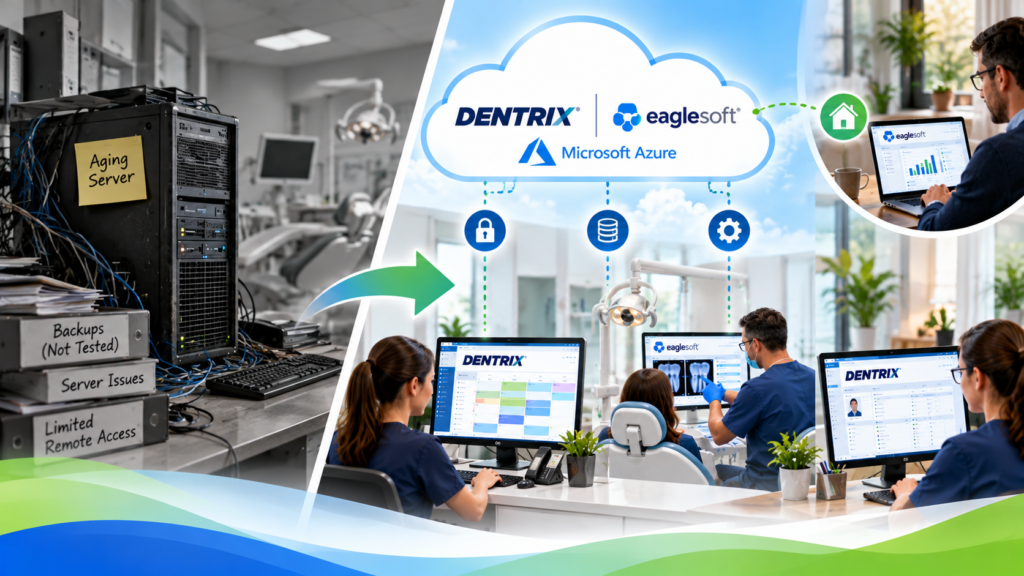
This dental practice cloud migration case study is illustrative. We built it to show how a move can go for a practice with an aging server, an owner who wants reports from home, and a backup that hasn’t been tested. The practice and its staff are invented. The steps are the ones a real move follows.
About this case study: CloudTop SaaS is a newer brand, so this is an illustration, not a named customer. No real practice, client, quote, or result is described. We’ll replace it with an approved real case study when one is ready.
Dental Practice Cloud Migration, Charted Like a Patient Visit
Dental offices write clinical notes in a set order: what the patient reports, what the exam shows, the assessment, and the plan. The same structure fits an IT problem, so that’s how this case is charted.
FOLLOW-UP VISIT
The imaging check took extra time. Single-application, single-database setups tend to go live in under 48 hours, and this one ran past that because the imaging integrations needed their own testing. We’d flag that to any practice up front. After go-live, the front desk signed in on the same schedule screens as before, billing ran through the hosted session, and the owner read reports from home with the same MFA prompt as the rest of the staff.
Before and After at a Glance
No performance numbers here, because this practice is invented and made-up numbers would mislead. The operational differences are the point.
| Area | Before | After |
|---|---|---|
| Reaching the software | From the office network, or through a workaround | From any device with a browser or client, after MFA |
| Owner reports at home | Not without a workaround | Available through the hosted session, with the same MFA prompt as staff |
| Backups | A backup job that hadn’t been tested | Automated daily backups with tested point-in-time restore |
| Sign-in | Local office logins | MFA for all users at each login |
| The software staff use | The existing practice management software | The same software and the same screens |
| Old server | In service, several years old | Stays in place until the practice chooses to retire it |
| Where the risk sits | One aging server in the back room | The internet connection and the hosted environment, with less dependence on a single machine |
What Stayed the Same, and What Didn’t Go Away
Staff kept the software they knew, and the old server stayed on until the practice chose to switch it off. Backups moved from a job that hadn’t been tested to daily backups with a tested point-in-time restore.
Availability is where the picture needs care. Moving to Azure reduces the practice’s dependence on the office server. It doesn’t remove downtime risk. An internet outage at the office still cuts off access, and the hosted environment can have problems of its own. The environment carries a 99.9% uptime SLA backed by Azure availability sets and active monitoring, which lowers the risk without taking it to zero.
Patient data came up before anything else. The practice’s compliance advisor joined the conversation about safeguards and the shared-responsibility model. We don’t claim HIPAA or PCI-DSS certification on our own behalf, and the practice’s own obligations stayed with the practice. Our Dentrix cloud hosting guide covers the HIPAA questions in more detail.
The Business Case for the Practice
The practice keeps the software its team already knows, skips retraining and a new-software project, and stops depending on one aging machine in the back room. In exchange, it depends on a reliable internet connection and a monitored hosted environment. The question of moving to different software stays open, to be settled later on the practice’s own schedule.
What This Illustration Doesn’t Prove
It doesn’t promise your timeline. Practices with multiple databases, complex integrations, or vendor licensing conditions take longer, and some practices should stay on their current setup or move to different software. Our lift and shift decision framework helps you work out which group you’re in. For the hour-by-hour version of a typical move, read our on-prem to Azure migration walkthrough.
CloudTop SaaS is a CloudTop Office company, hosting Windows business software since 2000 through the parent brand.
FAQ
Wondering what a move would look like for your practice?
A 15-minute call covers your software, your version, your imaging setup, and an honest timeline.