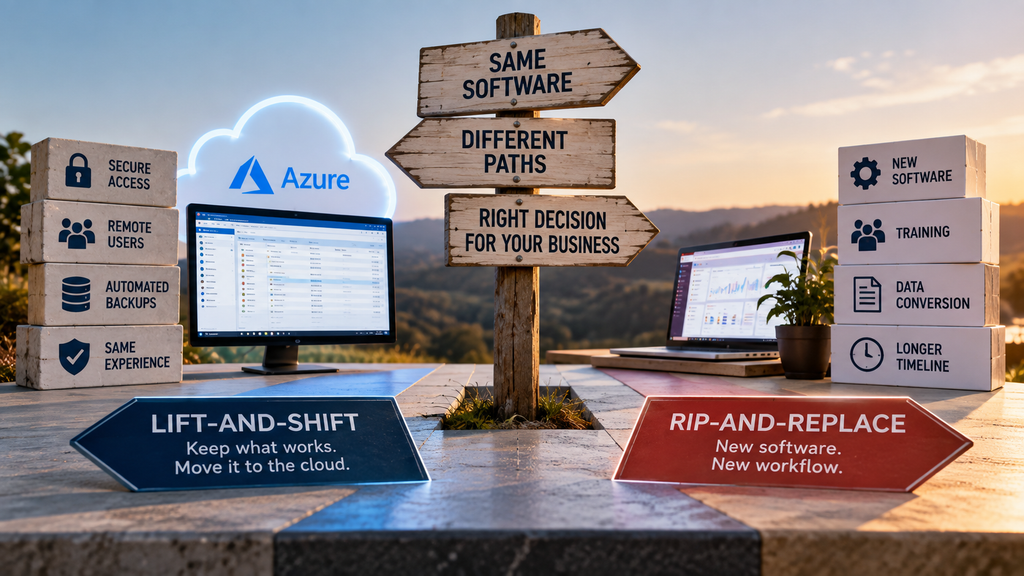
A lift and shift windows app move keeps your existing application exactly as it is and simply relocates where it runs, from a local server to a hosted cloud environment. Rip-and-replace means retiring that application and rebuilding the workflow on new software entirely. Most legacy software decisions get framed as a values question. It’s actually a four-question framework, and most situations have a clear answer once you work through it honestly.
Key takeaways
- A lift and shift windows app move changes where the software runs, not what it does or how your team uses it.
- Rip-and-replace solves problems with the software itself. It doesn’t solve infrastructure problems any faster than hosting does.
- Four questions, about capability gaps, vendor support, integration needs, and appetite for change, point clearly toward one path or the other.
- Most situations that feel like they need a full rebuild are actually infrastructure problems wearing a software costume.
- Choosing lift-and-shift now doesn’t rule out rip-and-replace later, on your own schedule.
What Does a Lift-and-Shift Windows App Move Actually Involve?
A lift and shift windows app migration takes your existing application, as it runs today, and moves it into a hosted Azure environment published through Parallels RAS. Your team keeps the same screens, the same workflows, and the same license. What changes is the infrastructure underneath: better backups, remote access, and a server that isn’t sitting in a closet waiting to fail.
What Does Rip-and-Replace Mean?
Rip-and-replace means retiring the current application and adopting new software, often a modern SaaS platform, to do the same job differently. It’s a real solution to a real category of problem, specifically when the software itself, not the server it runs on, is what’s limiting the business. It also comes with data conversion risk, retraining, and a timeline measured in months, not days.
A Decision Framework: Four Questions That Actually Decide This
Reading Your Answers
If most of your answers point toward capability gaps and vendor abandonment, rip-and-replace is honestly the better call, and hosting your current software is at best a short-term bridge while you plan that project properly. If most of your answers point toward infrastructure problems and limited appetite for a rebuild right now, a lift and shift windows app move solves what’s actually broken, without the cost and risk of a project you don’t need yet.
How CloudTop SaaS Fits Into This
We handle the lift-and-shift side of this decision: hosting your existing Windows application on Azure with Parallels RAS, with no rebuild and no retraining. If your four answers point the other way, toward a genuine rip-and-replace, we’ll say so on the discovery call rather than hosting a system you’re already planning to leave.
If you’re closer to the staging side of this decision already, the fuller case for that is in our alternative to replacing legacy software guide. For what the actual hosting timeline looks like, see our on-prem to Azure migration breakdown.
FAQ
Not sure which way your four answers point?
A 15-minute call is enough to talk through your specific setup and get a straight answer, whichever direction it points.