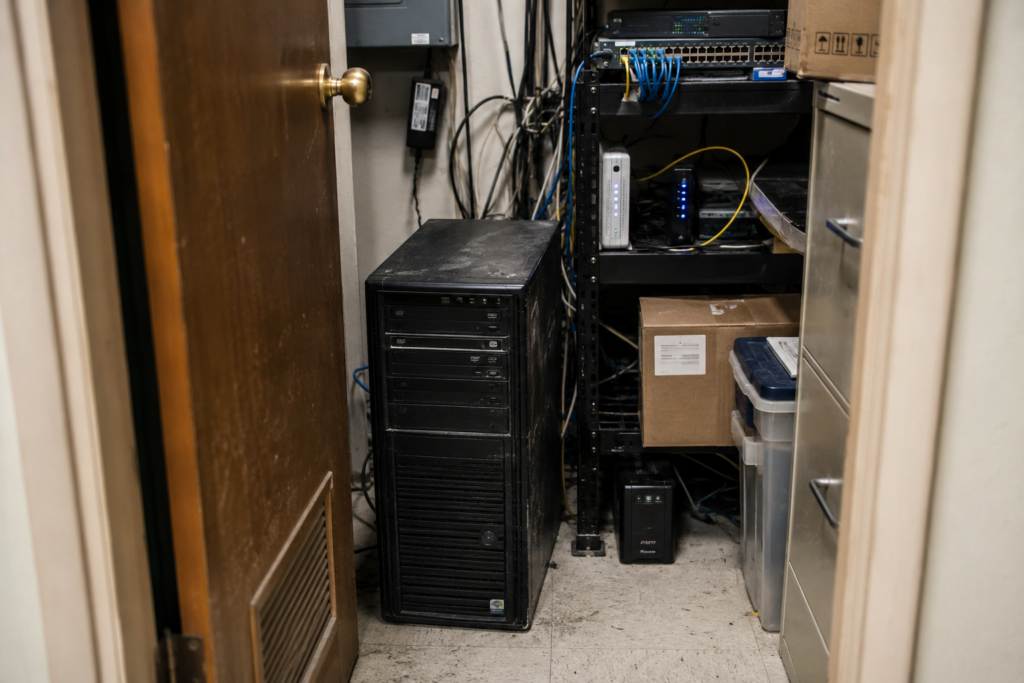
Your Windows server is end-of-life, which means Microsoft has stopped shipping security patches and your hardware warranty is gone or about to be. You have four real options: buy new hardware and start the cycle over, lift-and-shift the software you already run to a cloud-hosted environment, migrate to a true SaaS replacement, or do nothing and absorb the risk. This piece lays out all four honestly, including when buying a new server or staying put is the smarter call. CloudTop SaaS, a CloudTop Office company, cloud-hosts Windows business software on Microsoft Azure, so we have a horse in this race, but the goal here is to help you pick the option that fits your business, not ours.
Key takeaways
- “End of life” means no more security patches, no vendor support, and rising failure and compliance risk, not that the box stops working tomorrow.
- The four options are: replace the hardware, host your existing software in the cloud, migrate to a SaaS product, or do nothing.
- Replacing the hardware solves the warranty but keeps every other on-prem headache: patching, backups, remote-access gaps, and the next refresh in five years.
- Hosting your current software (lift-and-shift) gets you anywhere access and managed backups in days, with no software rebuild and no capital purchase.
- True SaaS is often the best long-term home, but only when a mature product covers your workflows and you can afford the switch. Until then, hosting is a bridge.
What does “end of life” actually mean for a server?
End of life means the vendor has stopped supporting the product, so no more security updates, no bug fixes, and no official help when something breaks. For a Windows server, two clocks matter. The operating system reaches its support cutoff (Windows Server 2012 and 2012 R2 hit end of extended support in October 2023, for example), and the physical hardware ages past its warranty. Either one leaves you exposed.
The machine keeps running, which is what fools most owners into waiting. An unpatched server is a soft target for ransomware, your cyber-insurance carrier may refuse to renew or pay out on unsupported software, and a failed drive on out-of-warranty hardware can mean days of downtime while you source parts. The cost of “later” is a bad week you didn’t schedule.
Option 1: Replace the hardware
Buy a new server, reinstall a supported Windows Server version, migrate your data, and carry on. This is the familiar path, and for some businesses it’s the right one. If you have a competent in-house or contracted IT team, your software vendor only supports on-prem installs, and your staff all work from one building, a new box can be the simplest move.
What it doesn’t solve: you still patch the OS, you still own the backup script and the prayer that it ran last night, remote staff still fight a clunky VPN, and you’ll be reading this same article in five to seven years when the new hardware ages out. You also pay for the server whether you fully use it or not, plus the labor to set it up and keep it healthy. A new server fixes the warranty problem and leaves every other on-prem problem in place.
Option 2: Host your existing software in the cloud (lift-and-shift)
Take the exact Windows application your team already uses and re-deliver it from a hardened Azure environment, published through Parallels RAS so people sign in from a Mac, PC, tablet, or browser. No rewrite, no new software to learn, no server in the closet. Lift-and-shift means moving the application as-is to managed infrastructure instead of rebuilding it.
For a single-app, single-database setup, this runs in under 48 hours: a discovery call, a compatibility check, an Azure tenant with MFA enforced and daily backups live, your data migrated and verified, then your users sign in. Complex setups with multiple databases, custom integrations, or vendor-licensing hurdles take longer, and we’ll tell you that on the call rather than after you’ve signed. You get anywhere access, automated backups with tested restores, a 99.9% uptime SLA, and a U.S.-based engineer who answers the phone, without buying hardware or rebuilding anything. The trade-off: you pay a predictable per-user monthly cost instead of a one-time purchase, and you’re running a hosted edition of the same software, not a redesigned product.
Option 3: Migrate to a true SaaS product
Replace your aging Windows application with a cloud-native SaaS product built for the browser. When a mature SaaS option covers your workflows, this is often the best long-term home, and we’ll say so plainly. You get a product designed for the web, continuous updates, and no infrastructure to think about.
The catch is cost and disruption. A real migration means data conversion, retraining your team, rebuilding integrations, and the risk that the SaaS product doesn’t do the three things your current software does that nobody documented. For a lot of vertical businesses, field service, manufacturing ERP, insurance agencies, the specialized Windows app they run has no clean SaaS equivalent, or the equivalent costs far more and does less. Migrate when the math and the product both line up. Don’t force it because “cloud” sounds modern.
Option 4: Do nothing
Keep the end-of-life server running and hope. We list this because it’s the option most businesses default into, not because we recommend it. Every month you wait, you carry an unpatched, unsupported machine that your insurer may already consider a lapse in coverage and that an attacker considers an opportunity.
Doing nothing has a real cost, you just don’t see it on an invoice until the drive fails or the ransomware note appears. If budget timing is the blocker, hosting (Option 2) usually beats waiting, because it converts a capital purchase you can’t make right now into a monthly cost and removes the patching and backup burden at the same time.
Which end-of-life server option is right for you?
The table below compares the four options across the factors SMB owners weigh most: upfront cost, ongoing cost, time to working, remote access, who maintains it, and the scenario each one fits.
| Factor | Replace hardware | Host existing software | Migrate to SaaS | Do nothing |
|---|---|---|---|---|
| Upfront cost | High (server + setup labor) | Low (no hardware) | Medium to high (conversion + retraining) | None now |
| Ongoing cost | Maintenance + next refresh | Predictable per-user monthly | Per-user subscription | Rising risk and emergency repair |
| Time to working | Weeks | Under 48 hours (typical single app) | Months | Immediate, until it isn’t |
| Remote access | VPN, often clunky | Built in, any device | Built in | Same limits you have today |
| Keep your current software | Yes | Yes, unchanged | No, new product | Yes |
| Who maintains it | You or your IT | CloudTop SaaS (U.S. engineers) | SaaS vendor | You |
| Best fit | Single-site team, on-prem-only vendor, capable IT | Remote or multi-site staff, no in-house IT, software with no good SaaS equal | Mature SaaS exists and budget allows | No one (a stopgap at best) |
Most SMB owners who land here are choosing between a new server and hosting. If your staff need to work from anywhere, you don’t have dedicated IT, or your software has no SaaS replacement worth the switch, hosting is the lower-risk, faster move. If you’re a single-site shop with solid IT and a vendor that supports only on-prem installs, a new server can still make sense. And when a true SaaS product fits, we’ll help you get there, hosting can be the bridge until that day, not a detour.
Frequently asked questions
Can I keep running my server past end of life?
Physically, yes. Safely, no. Once an OS or server is end-of-life, it stops getting security patches, so known vulnerabilities go unfixed. Many cyber-insurance policies treat unsupported software as a coverage gap, and unsupported hardware means a failure can take days to repair. It works until the day it doesn’t, and that day arrives on the attacker’s schedule, not yours.
Is hosting my existing software cheaper than buying a new server?
It depends on your timeline, but hosting removes the upfront hardware purchase and the setup labor, replacing them with a predictable per-user monthly cost. It also folds in patching, backups, and monitoring that you’d otherwise pay for separately with a new server. For a true comparison, weigh the new server plus its maintenance and the next refresh against the monthly hosting cost over the same period.
Do I have to switch software to move to the cloud?
No. Hosting (lift-and-shift) re-delivers the exact Windows application you run today from Azure, so your team uses the same software with the same workflows, reached from any device. Switching products is a separate decision (Option 3), and one you can make later if and when a SaaS replacement makes sense.
How long does it take to move an end-of-life server’s software to the cloud?
For a typical single-application, single-database setup, CloudTop SaaS gets you live in under 48 hours: discovery call, compatibility check, Azure environment with MFA and backups, data migration, user testing, and go-live. Setups with multiple databases, custom integrations, or vendor-licensing requirements take longer, and we scope that on the discovery call so the timeline is honest before you commit.
Who owns my data if I host with CloudTop SaaS?
You do, always. The customer owns their data, and there’s no lock-in by design. We provide export tools and contractual exit assistance, so if you later move to a different provider or to a SaaS product, your data goes with you.
Is a hosted environment secure and compliant?
The environment runs on Microsoft Azure and inherits Azure’s attestations (SOC 1/2, ISO 27001, and others), configured for line-of-business workloads, with MFA enforced on every login and encryption in transit and at rest. For regulated workloads such as medical or dental, we architect against the relevant controls and walk through the shared-responsibility model with you rather than claiming a certification on your behalf.
Replacing a server isn’t your only move
An end-of-life server forces a decision, but it doesn’t force you to buy more hardware. If your team needs anywhere access, you’d rather not own infrastructure, and your software has no SaaS replacement worth the disruption, hosting the software you already run is the faster, lower-risk path. CloudTop SaaS has cloud-hosted Windows business software since 2000 through parent CloudTop Office, with 500-plus businesses onboarded and U.S.-based engineers founded by a former NASA Mission Control engineer.
Want to know which option fits your software and your team? Book a 15-min consult and we’ll give you a written compatibility summary the same day, including a straight answer on whether hosting, a new server, or a SaaS move is right for you.
CloudTop SaaS, a CloudTop Office company, cloud-hosts the Windows business software you already run on Microsoft Azure with Parallels RAS. U.S. engineers, automated backups, no rebuild required. From hello to hosted in under 48 hours.